 By Ahmed Zaggoudi on Aug 24, 2011
When I search into our friend Google I found a snippet :
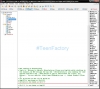
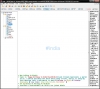
When you join a channel the snippet will make a background with name of that chan automaticly,
You should first creat a folder with name "image" from the folder mIRC then put this snippet into your mIRC (Alt+R)
I'm not the owner of this snippet
This is the source : http://www.ircfr.com/codes/NOM-PV-SALON-BACKGROUND_14485.aspx
alias backnick {
  /.window -ph @ $+ $1 0 0 $calc($width($1,arial,50) +20 )  $calc($height($1,arial,50) +50 )
  /.drawtext -r @ $+ $1 $rgb(179,217,255) arial 50 5 5 $1
  /.drawsave @ $+ $1 images\ $+ $replace($1,$chr(124),$chr(44)) $+ .bmp
  /.window -C @ $+ $1
  /.background -c $1 images\ $+ $replace($1,$chr(124),$chr(44)) $+ .bmp
  /.remove images\ $+ $replace($1,$chr(124),$chr(44)) $+ .bmp
}
on *:join:#:{
  if ( $nick == $me ) {
    backnick $chan
  }
}
on *:open:?:*:{
  backnick $nick
}

on *:nick:{
  if ( $window($newnick) != $null ) {
    backnick $newnick
  }
}
alias bquery {
  query $1
  backnick $1
}

@ Scakk : Ah yes I will make another snippet like this, and also I will add the way to remove backgrounds when parted chan
@ SReject : nice, you'r right a snippet should be FULL, I will make another !
@ Skywalker : not need to save options into mirc.ini we can use the command /set
@ HaLF_EviL : Yes @ Skywalker has reason you suould first make a folder with this name 'image' in this address C:\Documents and Settings\786\Application Data\mIRC\

I like the initial Idea, but I have a few suggestions:
1: As Scakk suggested, a way to remove the background
2: A way to specify the font to use and size
3: A way to specify the color used
4: A way to specify whether the picture be centered or photoed(or titled, etc)
A few things to improve your current code:
;Saves you the trouble of having the if statement
on Me:*:JOIN:#: backnick #

;If there's no pipes/if/while/etc statements, I like everything on one line.
on *:OPEN:?:*: backnick $nick

;Just, imo, cleaning up the code:
on *:NICK: if ($window($newnick)) backnick $newnick

;Instead of /bquery, I just replace mIRC's built in /query
alias query !query $1- | backnick $$1
I give it a 7/10 but get some more user options and I'll up it.

Interesting.
Few notes on it.
1) May want to add a way to remove the background name.
2) The query part only works if you are PMed. Might want to add an on input to make it work if you initiate the query.
-- Could fix #2 if you alter the alias bquery to be just query then it will place the person's nick in the query window