
Hi @Alejandro I can help you, I went ahead and started a new thread so Villano doesn't get the notifications. What are you having trouble with on the script? These are the basic setup instructions:Hit alt+r, File<New, Paste in the copied code, File<Save as "youtube.ini"
Once you've done that, let me know what happens when you type /youtube or if someone pastes in a youtube link.
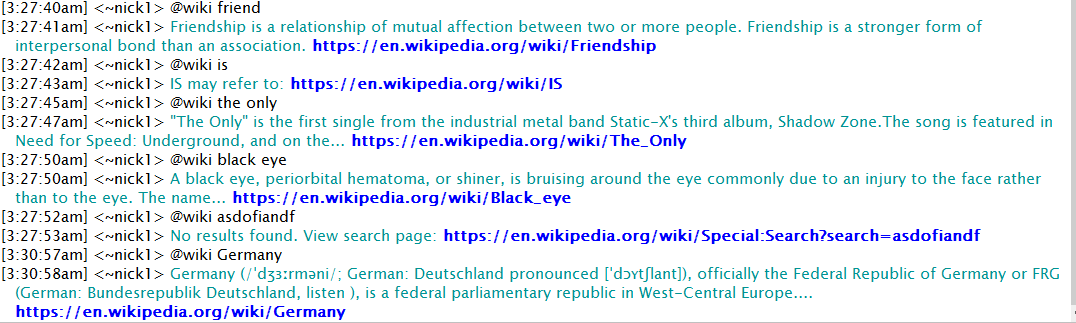
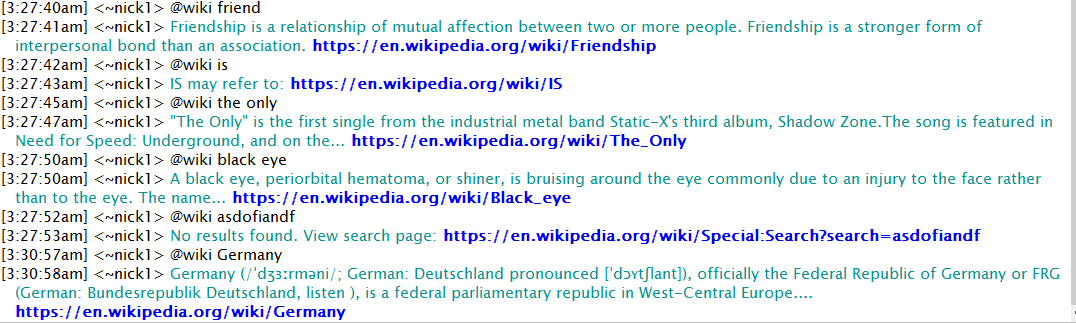
New mIRC snippet for wiki descriptions. I love quick info scripts like this and should be more useful than a dictionary lookup which is what I used before. http://hawkee.com/snippet/17017/
Made some updates to youtube script: http://hawkee.com/snippet/8577
and stock script: http://hawkee.com/snippet/9578
@Hawkee, hope you're doing well! Looks like stats for pages have been down for a month or so and I just wanted to give you a heads up.
@dma @commy @LobsterMan @IndyAdvant @Lianpobs @Wigoor released v5.9 to update to v3 of youtube API. Please update, sorry about the delay!
I know there are still some bugs in this version with durations, multiple search results, and a few other things i probably missed. Will review and post v6 to fix this! (Please let me know if you find other bugs I didn't mention) Thanks for your patience all!
Hey @Hawkee great job on the redesign! Looks very clean.
Quick bug report, looks like something went wrong for looking up "snippet"?
@Hawkee are you aware of what is going on right now.............................................. http://puu.sh/7kMhg.png
I just posted a new update to my YouTube script. http://www.hawkee.com/snippet/8577/
(I added options for rating and upload date)
This has been my most popular script on Hawkee!
Just posted a new update to my mIRC stock quote script. http://www.hawkee.com/snippet/9578/
iGoogle finance API was taken offline, so I migrated to Yahoo finance.
@AddictedtoFM The API is now outdated and I need to do a rewrite. What new info would you like included? You mentioned market cap and ratios. Specifics? Perhaps just P/E ratio and mkt. cap?
Interesting script. I made something like this that reminds me of this http://pastebin.com/u756wShi it's used to remove the timestamps from mIRC log files. Usage: /remstamp File
;Wolfram|Alpha Script v1.1 ;Made by nick1 ;Last edit November 12 2013 ;EDITS -- Changed the way the short links work. More reliable site ;2DO -- Fix subpod titles, clean up text with colors, comparison queries, max length ;NOTE -- [[Unfinished Version]] This works, but it's not the best. Comment with specific things you want fixed
I created a different version of this script that uses card values 1-13 (including aces and face cards) - here it is http://pastebin.com/hLrxeFxs
NOTE: This version does include personalized hash table commands that you will need to remove.
However, parts of the script may be useful. PM for questions if you are new to editing scripts.
@cptpan Glad it works. To get symbols on ASX attach .ax to the symbol e.g. compare /stock CBA to /stock CBA.AX
For the response to play in channel instead of noticing nick use the @command (@stock GOOG)
Let me know if you want anything else changed.